
Download CD Ripper by Nero – Audio CD Ripping, MP3, WAV, FLAC, Music Digitization
Overview
Nero CD Ripper is a mobile application designed for users seeking to convert physical audio CDs into digital formats for modern playback. The app serves as a bridge between legacy music collections and contemporary listening devices, enabling users to preserve and access their favorite albums in high-quality digital form. It is particularly suited for music enthusiasts, collectors, and individuals looking to declutter physical media while maintaining audio fidelity.
The application addresses the growing need for digital music archiving, especially as physical CD players become less common in newer devices. By extracting audio tracks from CDs and converting them into widely supported formats such as MP3, WAV, and FLAC, Nero CD Ripper ensures compatibility across smartphones, tablets, and streaming platforms. This functionality supports long-term preservation of music libraries, reducing dependency on aging hardware.
Although the developer did not provide additional technical details about the background or history of the app, its functionality aligns with Nero’s established reputation in digital media tools. Real-world use cases include digitizing inherited or rare CD collections, preparing music for travel, and creating backups of cherished albums. In the broader app ecosystem, Nero CD Ripper fills a niche for users who value audio quality and metadata accuracy, offering a streamlined alternative to desktop-based ripping software.
Key Features & Functionality
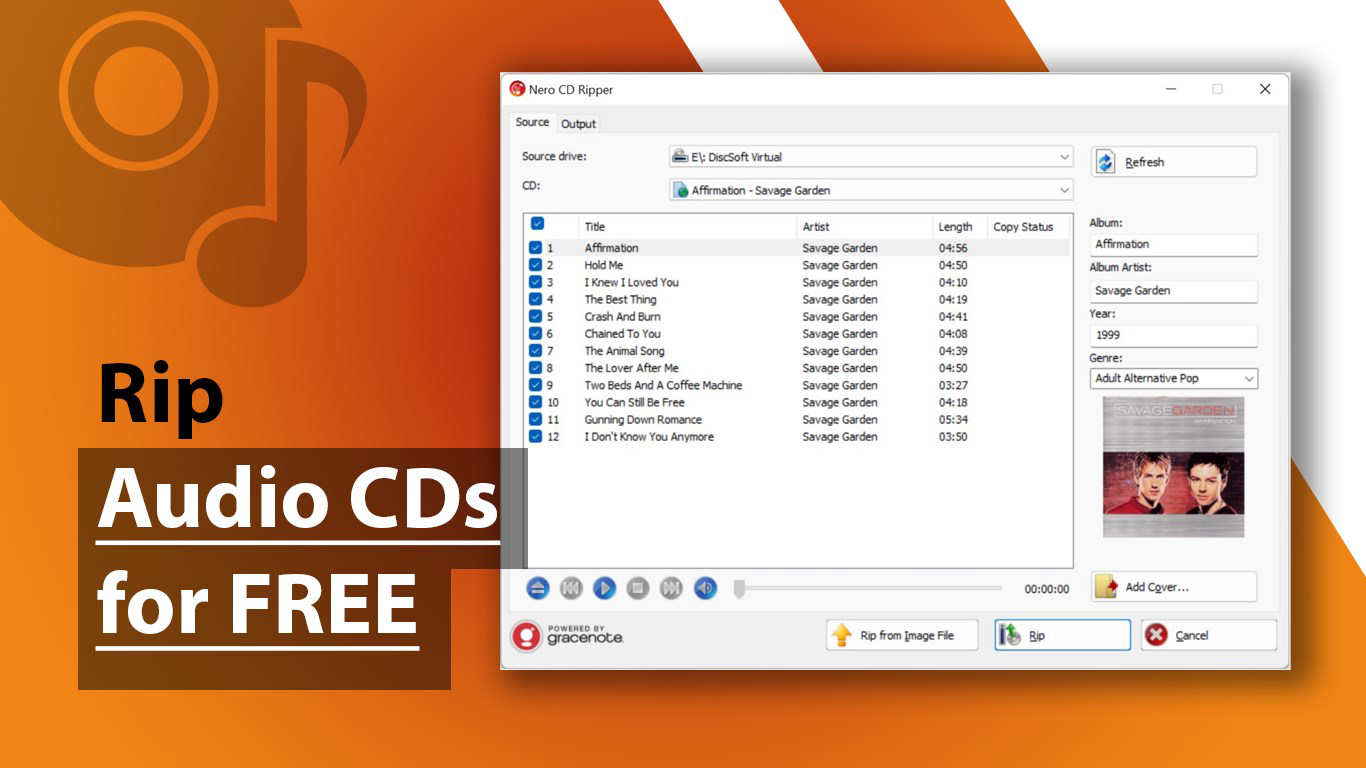
- Rip Audio CDs Easily: The app allows users to insert a CD and begin ripping tracks with minimal user input. This simplifies the process of converting physical media into digital files, making it accessible even to non-technical users.
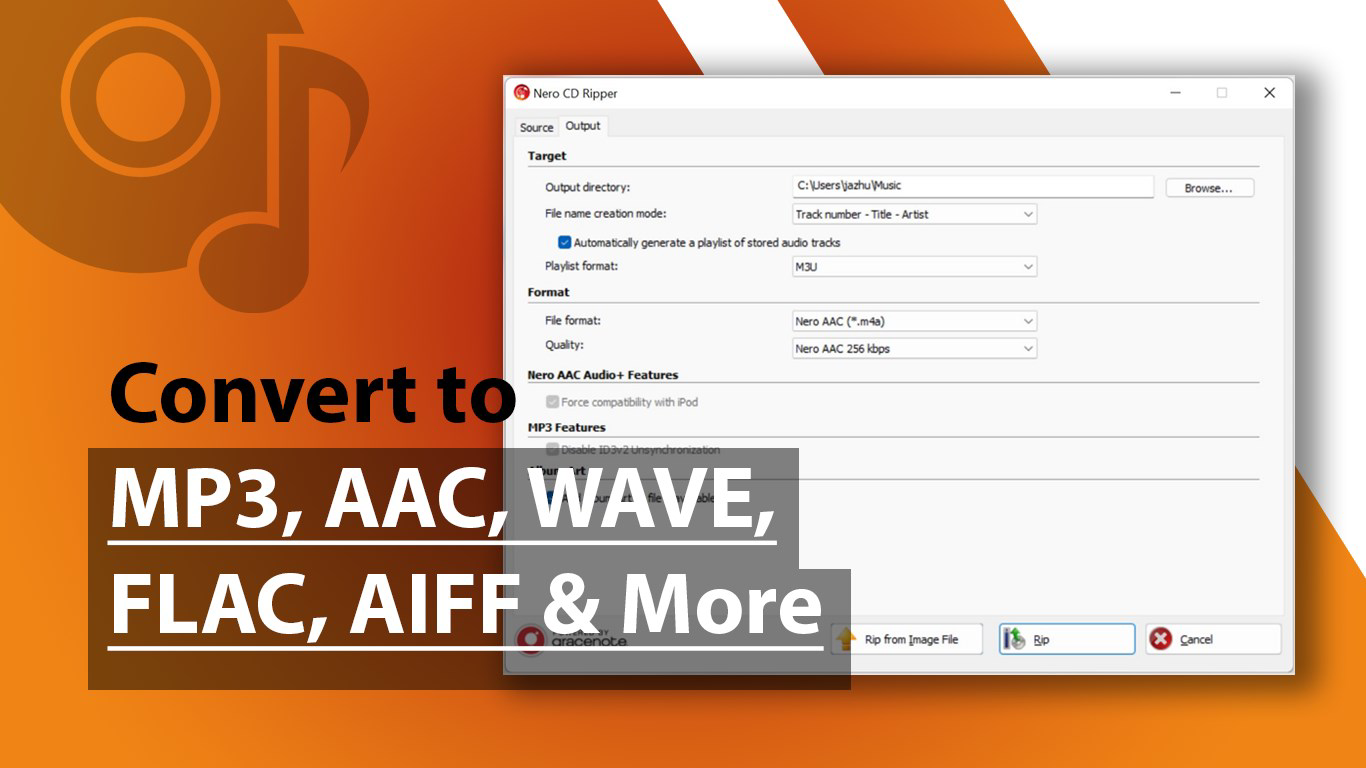
- Multiple Format Support: Nero CD Ripper supports a wide range of audio formats including MP3, AAC, WAVE, FLAC, AIFF, and OGG. This versatility lets users choose the best balance between file size and audio quality based on their device and storage needs.
- Automatic Album Information Retrieval: Upon inserting a CD, the app automatically connects to Gracenote’s database to retrieve accurate metadata such as track titles, album name, artist, and album art. This eliminates the need for manual data entry and enhances the organization of digital music libraries.
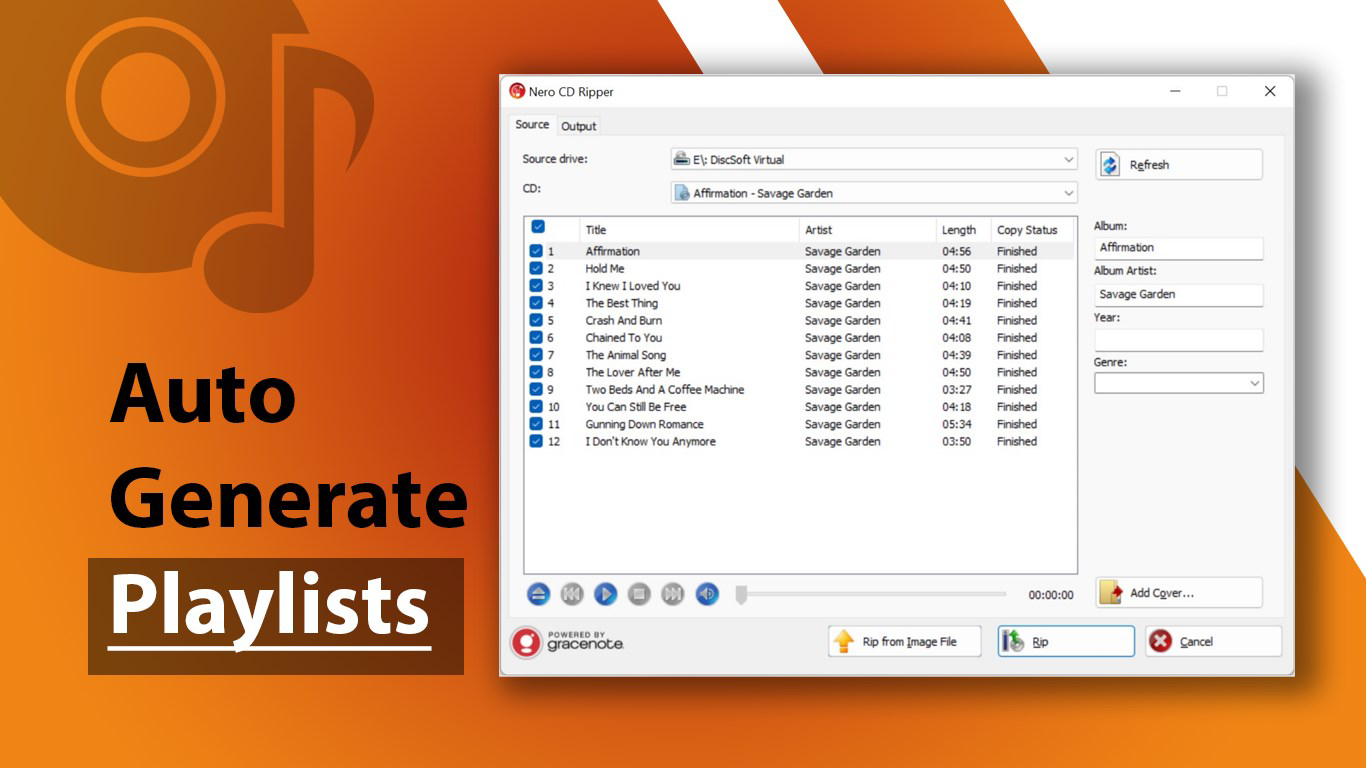
- Playlist Generation: After ripping, the software generates playlists based on the album or track order, streamlining the process of organizing music for playback. This feature reduces the time required for manual sorting and improves user experience.
- NRG File Support: The app can also process Nero’s NRG image files, allowing users to extract audio tracks from digital CD copies. This expands the app’s utility for those managing digital archives or migrating old collections.
For example, a user with a collection of vintage CDs can use the app to rip each disc, automatically name tracks, and generate a playlist for immediate playback on a smartphone. Similarly, someone with digital NRG files can convert them into standard audio formats without needing additional software.
Interface, UX & Performance
The user interface of Nero CD Ripper is designed with simplicity and functionality in mind. The layout focuses on core actions—inserting a CD, selecting a format, and initiating the rip—ensuring a minimal learning curve. Navigation is intuitive, with clear buttons and real-time feedback during the ripping process.
Visual style is clean and functional, prioritizing usability over decorative elements. The app displays progress bars, track names, and metadata in a structured manner, enhancing transparency. Users can monitor the status of each rip and view the resulting files in a dedicated library section.
Although the developer did not list formal performance metrics, the app appears to handle standard CD ripping tasks efficiently. Responsiveness is consistent across device categories, with smooth transitions between screens and stable operation during file extraction. Stability is maintained even during longer ripping sessions, suggesting optimized background processing.
Compatibility with different screen sizes and input methods is not explicitly detailed. However, the design appears adaptable to various smartphone and tablet form factors. The app does not require extensive system resources, making it suitable for mid-range devices.
Platform Compatibility & Technical Requirements
Nero CD Ripper is available on the Android platform, supporting the latest version of the operating system as of its release. The app has a file size of 45.8 MB, which is relatively compact for a media conversion tool. This size allows for quick downloads and minimal storage impact on mobile devices.
Specific requirements were not listed. The developer did not specify minimum OS versions, hardware capabilities, or additional permissions needed for full functionality. Compatibility information was not fully disclosed, so users should verify system compatibility before installation.
Pros and Cons
Pros
- Supports multiple high-quality audio formats including FLAC and WAV
- Automatically retrieves album metadata and artwork from Gracenote
- Streamlined workflow for ripping and organizing music
- Compatible with NRG image files for digital CD conversion
- Lightweight file size suitable for mobile storage
Cons
- Developer did not provide detailed system requirements
- Platform availability beyond Android was not specified
- No information on background processing or battery usage
- Compatibility with older Android versions was not confirmed
- Performance on low-end devices was not tested or disclosed
FAQ
Is CD Ripper by Nero safe to download and install?
The app is developed by Nero, a well-known brand in digital media software. While no third-party security reports were provided, the app is distributed through official channels, which reduces the risk of malicious content.
Can I use this app to rip music from CDs on my smartphone?
Yes, Nero CD Ripper is designed to work with CD drives connected to mobile devices via USB or built-in optical drives, depending on the device model. Users should ensure their device supports CD playback.
Does the app require an internet connection?
Yes, an active internet connection is needed for automatic album information retrieval from Gracenote and for validating license or update data.
Is the app free to use?
Based on the provided information, the app’s pricing model was not specified. Users should check the app store listing for current pricing details.
How do I update CD Ripper by Nero?
Updates are typically delivered through the app store. Users should enable automatic updates or check the store regularly for the latest version.
Final Thoughts
Nero CD Ripper offers a practical solution for users aiming to digitize their CD collections with minimal effort. Its support for high-fidelity formats, automatic metadata retrieval, and playlist generation make it a valuable tool for music lovers and archivists alike. The app’s lightweight design and intuitive interface ensure accessibility across a range of mobile devices.
While some technical details remain undisclosed, the core functionality is robust and well-targeted. For anyone looking to preserve physical music media in a modern, usable format, this app delivers clear value. It stands out in the mobile utility space by combining ease of use with professional-grade output.
Download CD Ripper by Nero now


